

Simulation Visualization Results, Reporting, and Customization
Evaluate and compare design alternatives with the visualization and reporting capabilities of SOLIDWORKS Simulation. Increase your ability to make informed design decisions while you ensure product performance and safety.
Tightly integrated with SOLIDWORKS CAD, SOLIDWORKS Simulation analysis visualization and reporting can be a regular part of your design process—helping to reduce the need for costly prototypes, eliminate rework or delays, and save time and development costs.
Simulation Visualization
The ultimate objective of virtual simulation is to get valuable information so you can quickly compare design alternatives—and identify the best.
SOLIDWORKS Simulation and SOLIDWORKS Flow Simulation offer a wide range of powerful and intuitive post processing tools, so you can get full value and understanding from your simulation data:
- Visualize the stress and displacement of your assembly with customizable 3D plots
- Animate the response of your assembly under loads to visualize:
- Deformations
- Vibration modes
- Contact behavior
- Optimization alternatives
- Flow trajectories
- Visualize SOLIDWORKS Simulation results on the full geometry for symmetrical models, instead of only a section of the model, giving you better insight on the model behavior
- Understand the fluid flow inside your products using the section plots, simply defined with any SOLIDWORKS plane
- Get values quickly and easily for critical parameters, such as pressure drop, using the Engineering Goals
- Investigate your design performance and isolate critical areas by results values, using the Isosurfaces plot
- Visualize the Fluid Flow results with real time interaction with the rendered, evenly spaced surface stream lines and the dynamic vectors
- Mirror results about Planes of symmetry
- Flow streamlines and dynamic vectors
Results Customization
SOLIDWORKS Simulation provides the standard results components for a structural analysis: Von Mises stresses, displacements, temperature, etc.
Product Engineers also can create Simulation result plots defined with equations using standard mathematical functions of existing result variables in order to address customized company or market standards.
The intuitive equation-driven result plot enables SOLIDWORKS Simulation users to customize the post processing of structural analysis for an even better understanding and interpretation of product behavior.
Simulation Communication and Reporting
Simulation results are now used to provide technical and business insights for product development decisions. In order to expand the understanding and use of Simulation results by all, SOLIDWORKS Simulation and SOLIDWORKS Flow Simulation provide an intuitive toolkit to communicate simulation results to Product Development stakeholders
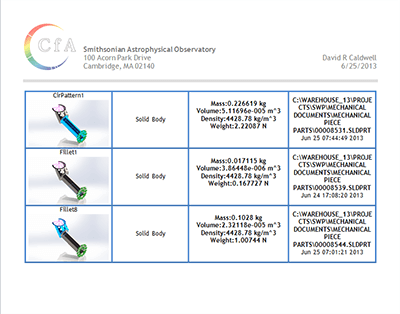 Create and publish customized reports in Microsoft.
- Communicate your simulation results and collaborate easily witheDrawingsYou can leverage the power of 3D vizualization to present Simulation results so they become powerful assets for business and technical decisions.